Comfort tracking
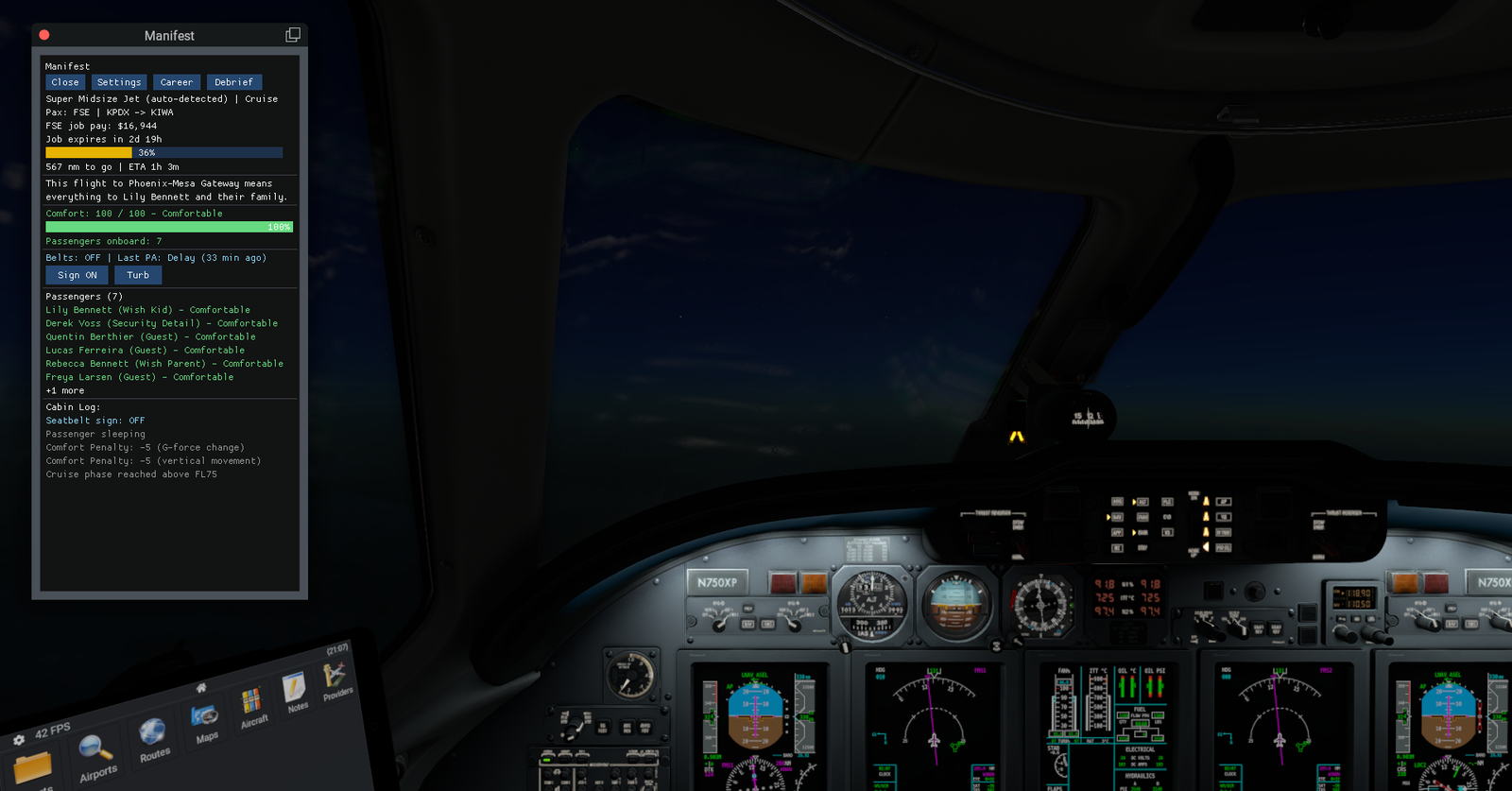
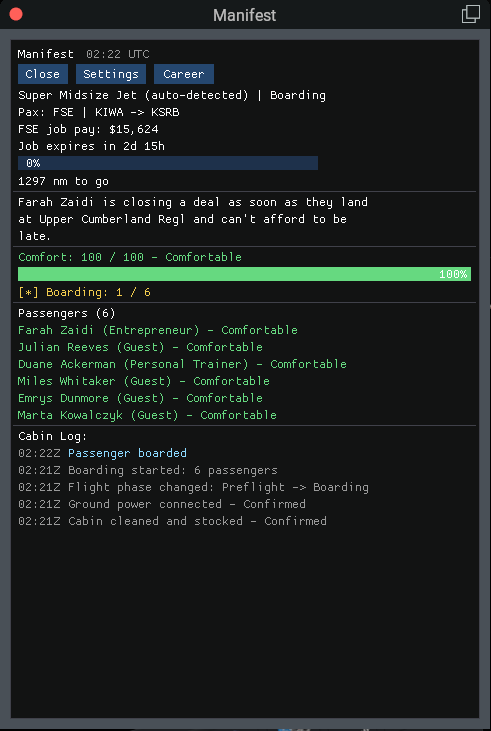
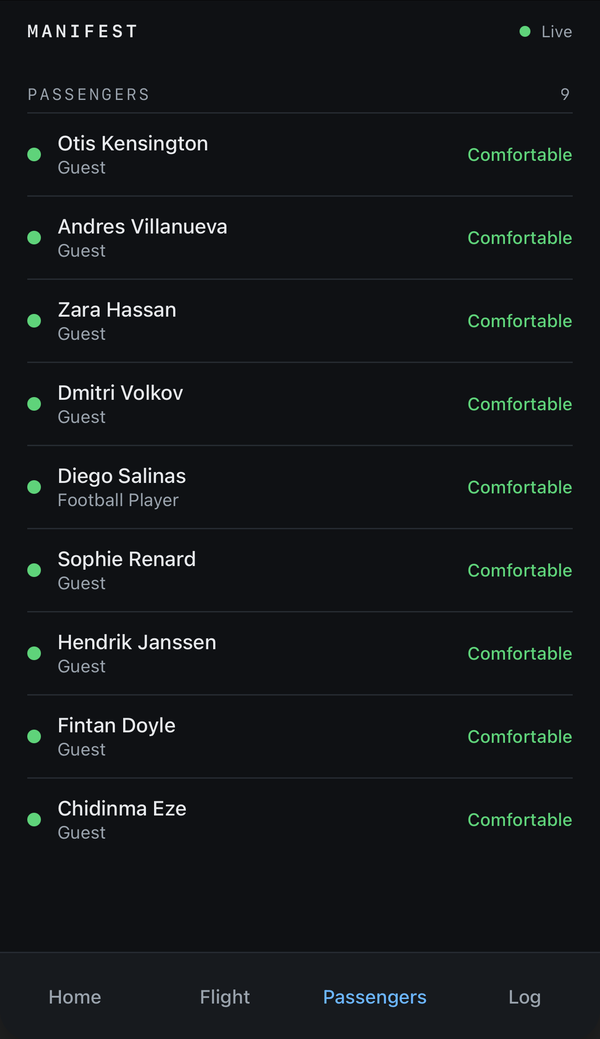
Passengers keep a running comfort score that reacts to G-forces, hard landings, steep turns, and turbulence — but not everyone reacts the same way. Each passenger carries their own sensitivity, so a bumpy climb might leave one passenger anxious while the rest of the cabin stays perfectly comfortable. Fly recklessly enough and the whole cabin can end up airsick before you're even on the ground — but comfort recovers over smooth, steady flying, so a shaky climb doesn't have to define the rest of the trip.
Landing scoring
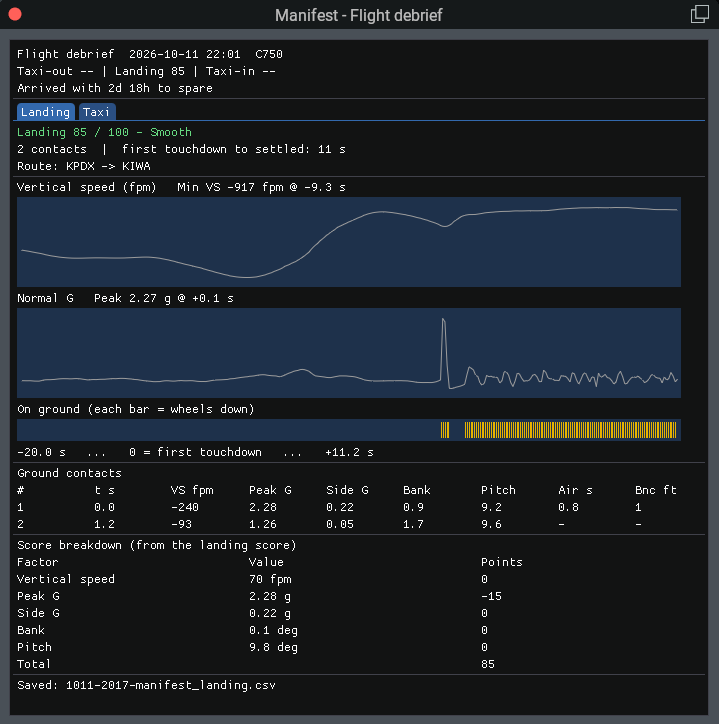
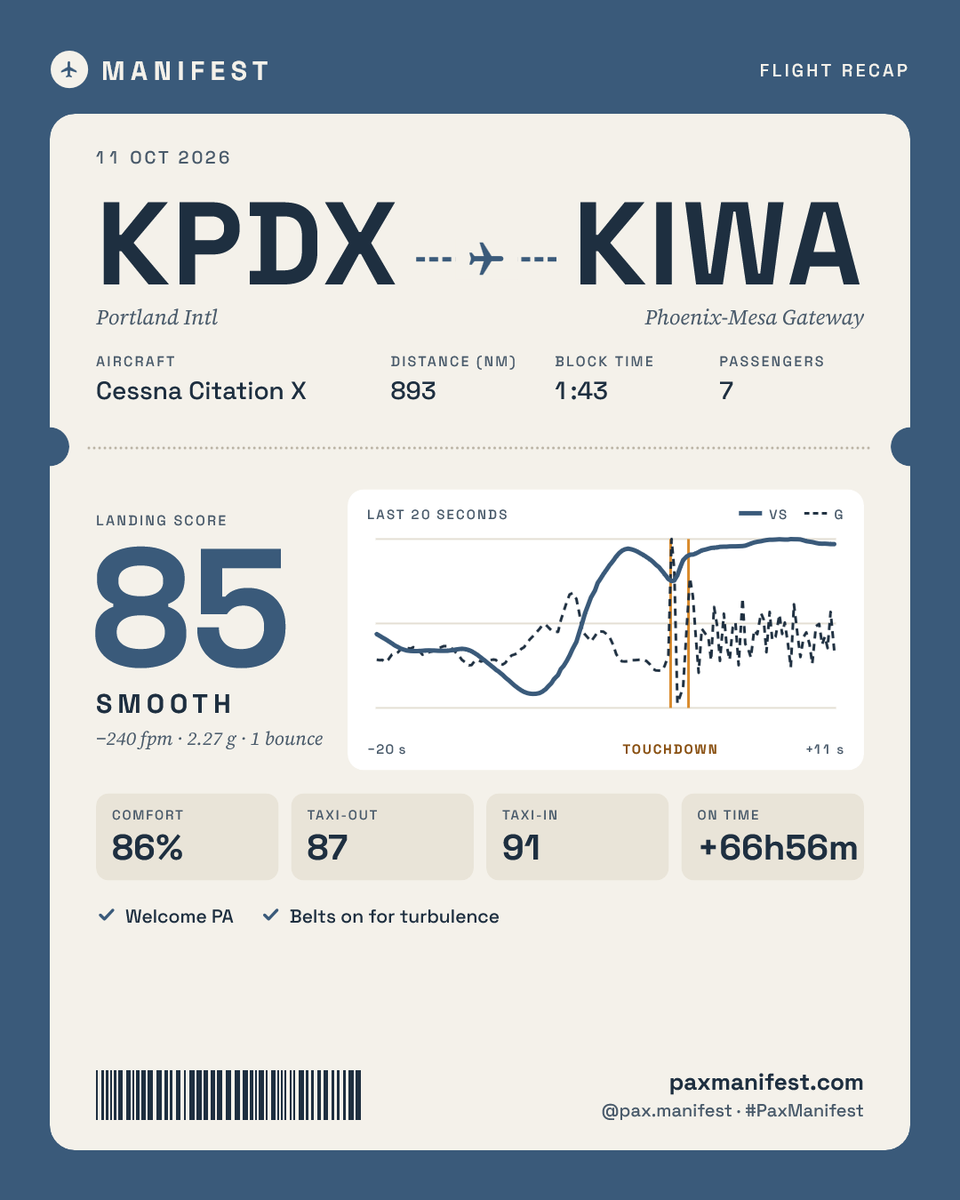
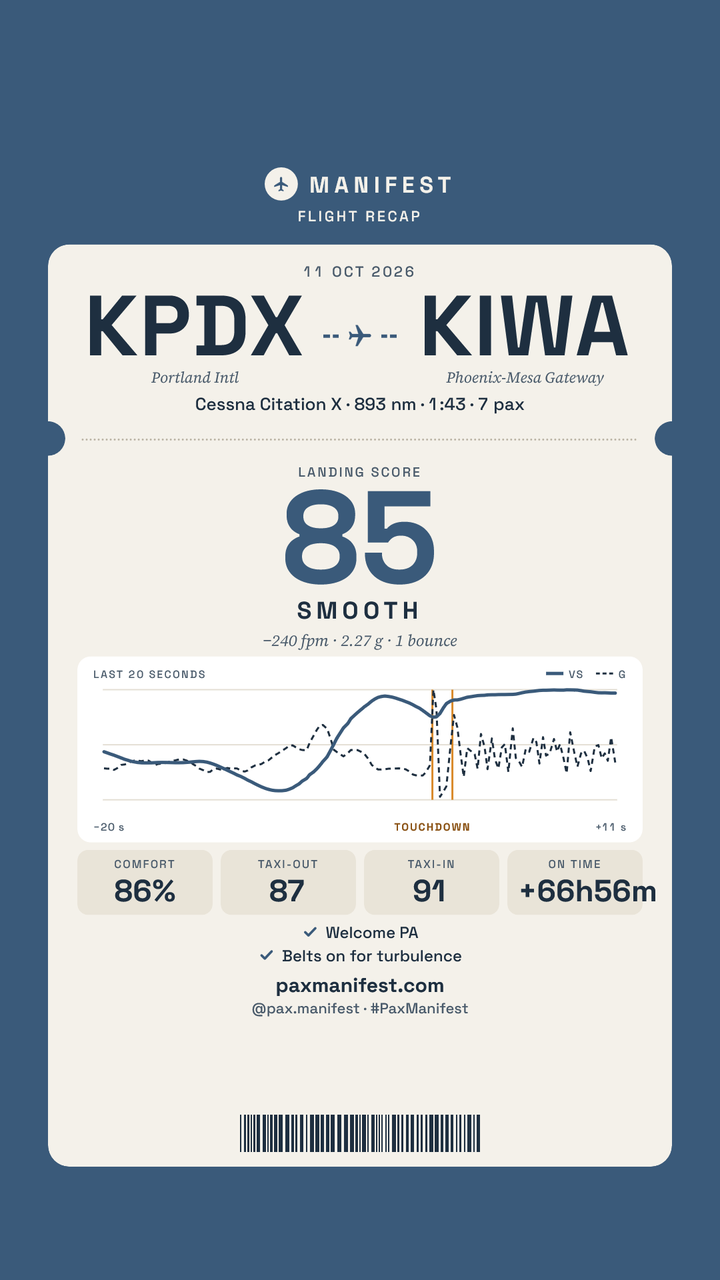
Every touchdown is graded from its vertical speed and G-force, from a greaser down to a very rough arrival — and a bad one doesn't just look bad in the log, it hits passenger comfort directly and follows you into your career stats. Bounces are tracked, so a skip down the runway is scored as a skip, not a single contact.
Automatic phase detection
Manifest reads your aircraft's own datarefs to know exactly what flight phase you're in, and the thresholds adjust by category — business jets are treated as reaching cruise past FL180, while GA aircraft switch over at 10,000 feet — so the phase, audio, and comfort logic all line up with how that type of aircraft is actually flown.
Phase-based audio
Boarding, taxi, takeoff, cruise, and landing each carry their own sound cues, mixed to match how many passengers are actually on board.
Doors & boarding
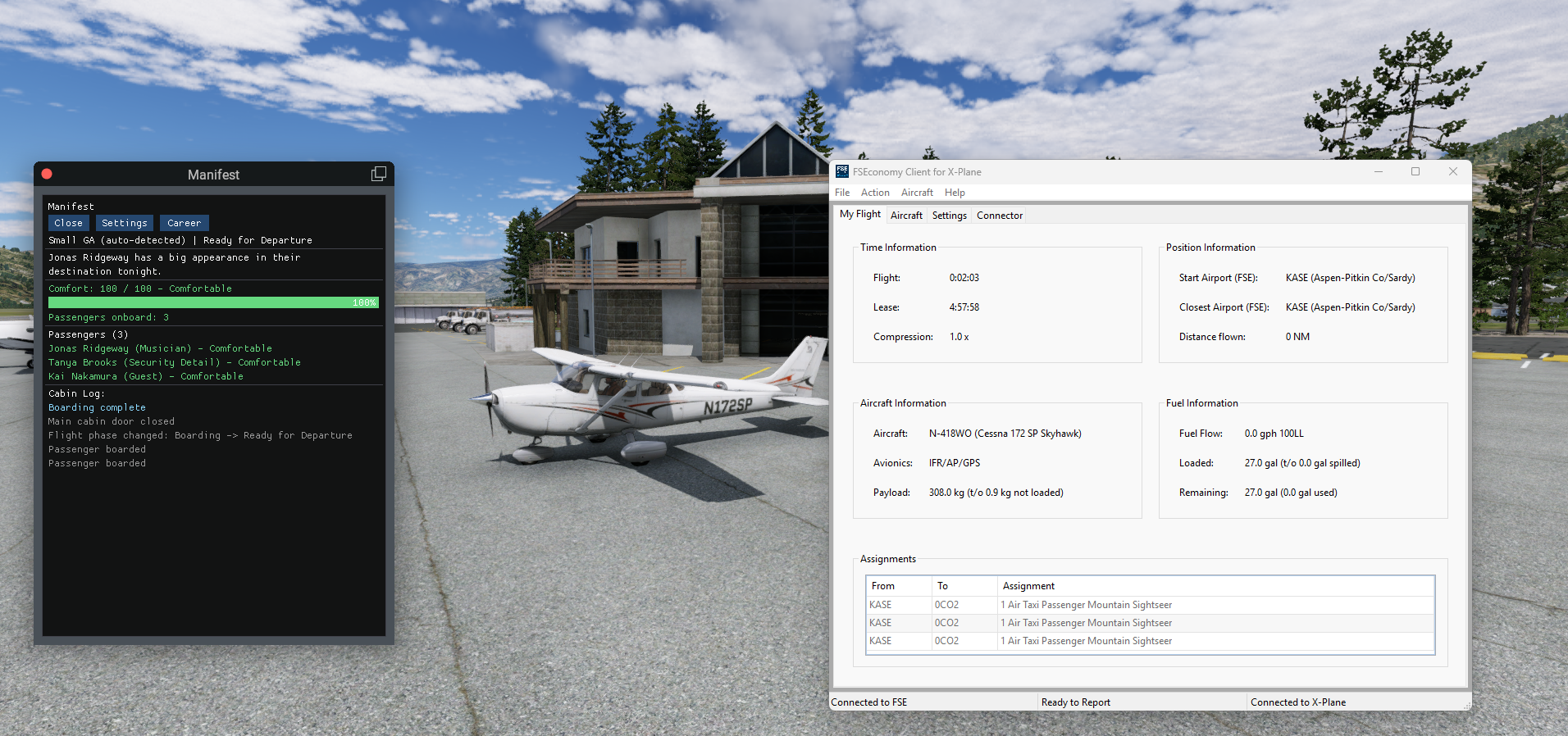
Manifest opens the main door for boarding and closes it once everyone's on board, with passengers moving through it on their own schedule rather than a fixed animation that ignores what's happening in the cabin.
Career persistence
Comfort history carries across flights, so a rough landing today can follow you into tomorrow's charter — built to pair naturally with career and job-based flying.
FSEconomy auto-detect
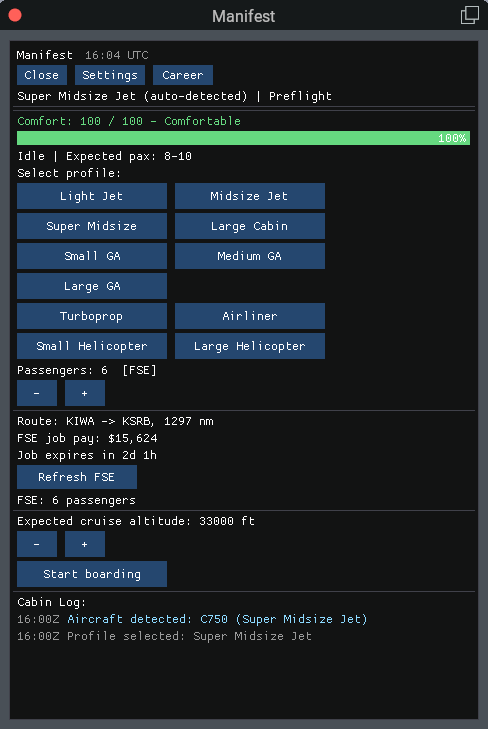
Enter your FSEconomy data access key in Settings and Manifest reads your "My Flight" jobs on its own, filling in the passenger count, departure, and destination for you. If your load is bound for several destinations, just tap the one you're flying to. Your key stays on your computer, and no extra plugin is needed.
FSEconomy job pay & deadlines
The HUD shows the pay FSEconomy lists for the jobs on board, and nothing more: no tips, bonuses, or made-up earnings. A live countdown tracks when your jobs expire and turns amber, then red, as time gets tight. Cut it close and passengers feel it: comfort penalties get harsher, recovery slows, and they start commenting on it. Prefer a relaxed flight? Deadline pressure can be switched off while the countdown stays visible.
Seatbelt sign & cabin announcements
Manifest follows your aircraft's seatbelt sign, or you can toggle it yourself from the HUD, and passengers care what it says. Flying with belts off on the ground, on approach, or in rough air wears down comfort, while a sign left on through a long smooth cruise breeds a little frustration. Make announcements (Welcome, Turbulence, Descent, Delay, Arrival) from the HUD, a keybind, or your phone, with a short cooldown between them. Choose a chime with on-screen text, recorded PA audio, or silent; scoring is the same either way.
Passengers get impatient
Comfort isn't only about how you fly. Leave the engines running on the ramp for too long and the cabin gets restless, skip the welcome announcement and passengers notice at takeoff, and on a delay, the right announcement keeps everyone informed. Keeping your passengers in the loop is part of flying them well.
Briefings for GA & helicopters
Aircraft without a seatbelt sign or PA use a passenger briefing instead: a quick "tighten belts" before you go. Skip it and comfort takes a hit at takeoff, doubled for helicopters. Descent, delay, and arrival callouts are optional there.
Phone HUD
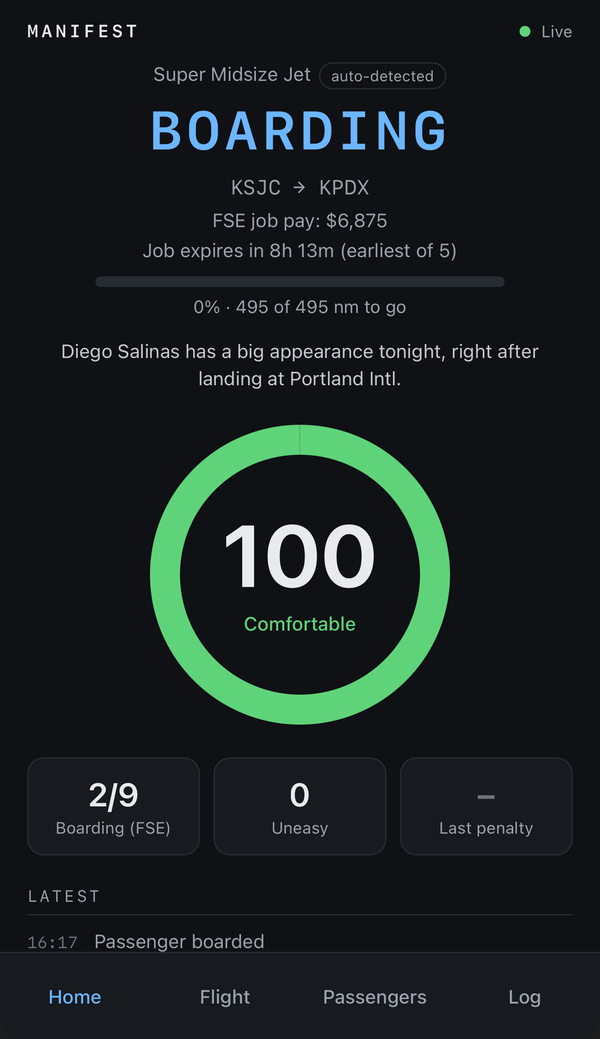
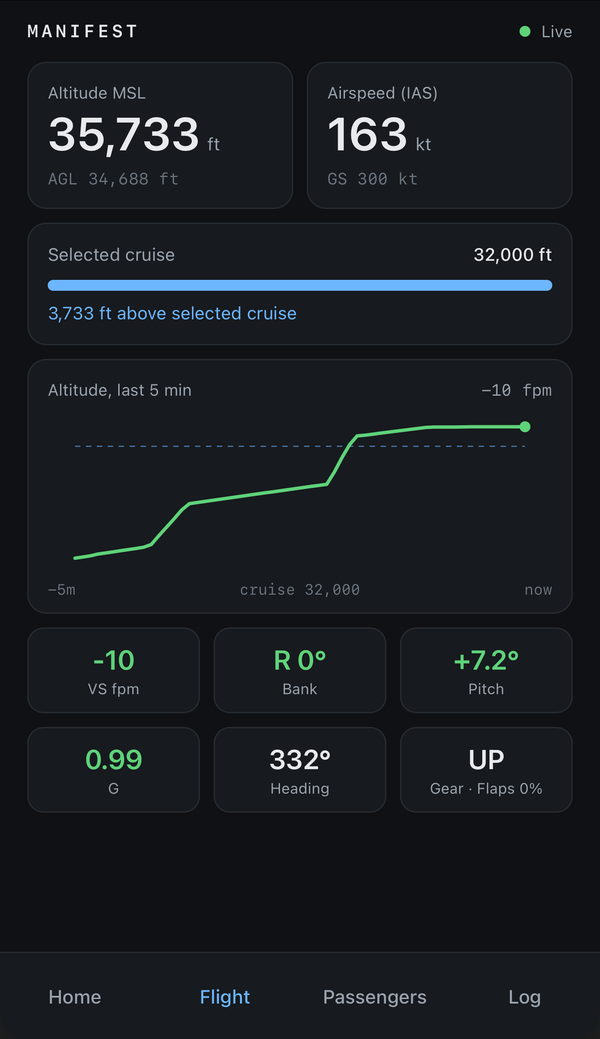
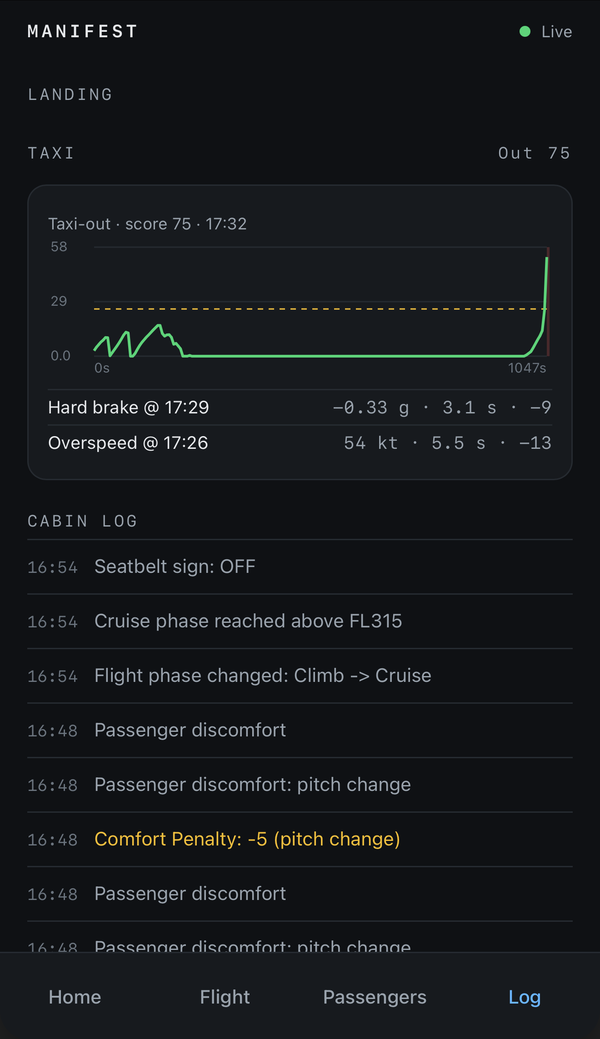
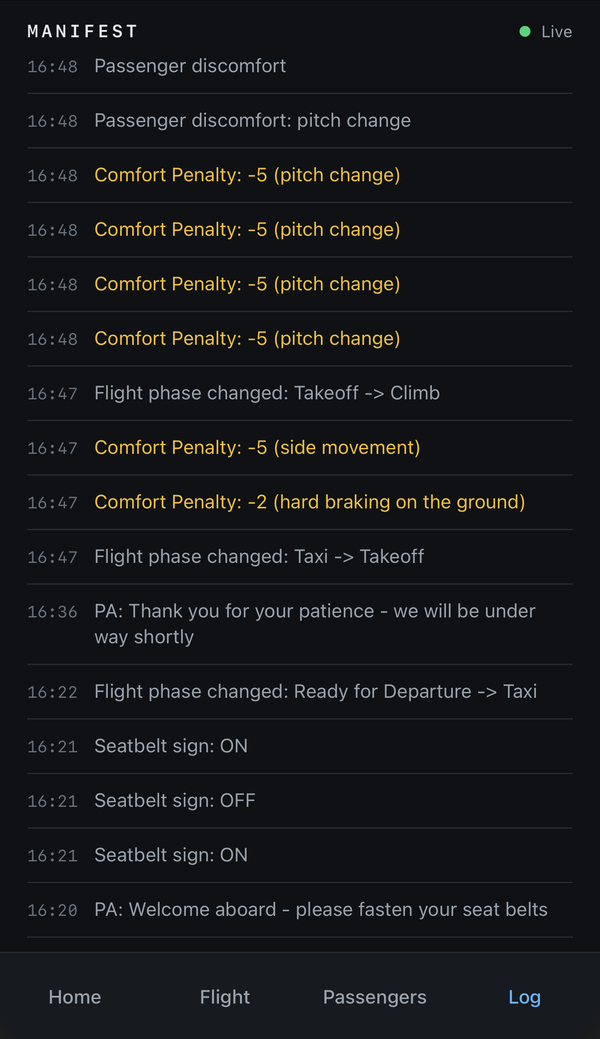
Turn on the optional phone view in Settings and keep an eye on your flight from any phone or tablet on your home network: a glance screen with passengers, comfort, route progress, and the time, plus tabs for the passenger list and the flight log, including your latest landing and taxi graphs. It's off until you enable it and stays on your local network. Phone buttons are a separate opt-in that let you press the cabin announcements from your phone; otherwise the phone view is read-only.
Route & flight progress
See the distance between your departure and destination and watch a progress bar fill as you fly, with distance to go and an estimated arrival time once you're airborne. The bar only moves forward, so a detour never makes it run backwards.
Taxi scoring
Your taxi out and taxi in are each scored from 100. Hard braking, fast turns, and overspeeding cost points, with limits that suit each aircraft type, and rough taxiing costs passengers a little comfort too. The takeoff roll is never counted against you, and helicopters aren't scored.
Landing & taxi debrief
After each landing, Manifest opens a debrief once you're parked, with graphs of your vertical speed and G-force, every ground contact including bounces, your score breakdown, a taxi tab with speed graphs and events, and a summary of which announcements you made. You can reopen the last debrief anytime from the HUD.
Shareable flight recap
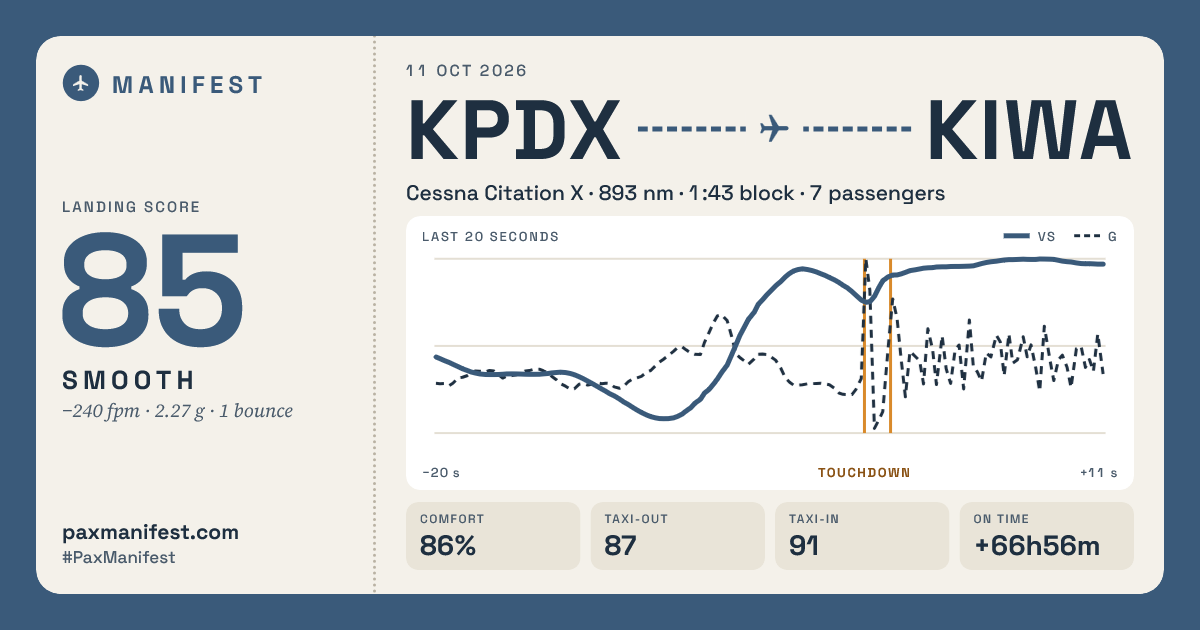
After a scored landing, Manifest builds a boarding-pass style recap of your flight, ready to share as a post, a Story, or a wide card for Discord and forums. Add your name and flight number in Settings, and optionally show your FSEconomy job pay. Flights with a crash or no score don't get a recap, and anything Manifest doesn't know is left off rather than made up.
Clock & timestamped log
Show a UTC clock in the HUD header using sim Zulu time or real-world UTC, or turn it off. Every Cabin Log entry carries its time, and your per-flight logs record both sim and real time.
Guided setup
A first-run setup wizard walks you through FSEconomy, cabin announcements, the HUD clock, the phone view, and what happens after each flight, with a recommended choice already selected on every page. After an update that adds options, it shows you only what's new, and you can run it again anytime from Settings.
Adjustable difficulty
A single difficulty slider controls how forgiving the whole system is — higher settings mean harsher comfort penalties, slower recovery, and more diversions, so you can tune Manifest from a light touch up to a genuinely unforgiving passenger experience.
Realistic pre-flight checks
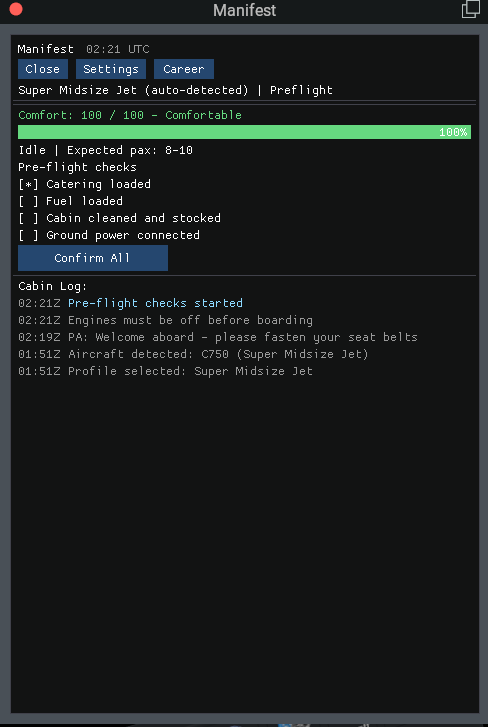
Turn on realistic timing and clicking "Start boarding" doesn't board anyone right away — you start cold and dark with engines off and the parking brake set, then have roughly 8–16 minutes to run your own flows, programming the FMS, checking weather, working the checklist, while Manifest counts down preflight in the background. Once that window closes, the door opens and passengers begin boarding automatically. This pre-boarding realism is currently available for business jet profiles only.
Stays out of your way
The panel is fully resizable to fit however you like to arrange your cockpit view, and closing it doesn't stop anything — Manifest keeps tracking your flight in the background, and you can bring the window back anytime through FlyWithLua's context menus. It also registers its own command with X-Plane, so you can bind opening and closing it to any joystick button, yoke switch, or key, right from X-Plane's own control bindings.
Built for real-world quirks
Resilience handling for aircraft that don't correctly report parking brake or altitude state, so Manifest stays reliable outside of Laminar's default fleet.